ichaud PRO
SOFTWARE SUITE
Michaud IPTV Player Pro
★ Optimized for Fire TV Stick, Google TV & Android Boxes

The Premier 4K Smart TV &
Universal Stream Player

Experience cinema-grade 4K playback, zero-buffering hardware decoding, and effortless remote playlist management on your big screen.

Firestick Downloader URL: https://michaudplayer.com/download
Downloader Code 1214376 (or enter aftv.news/1214376)
Native 4K 60fps Hardware Engine
Scan QR for Phone Typing
Engineered for Excellence

Built for the Ultimate Big-Screen Experience

Michaud Player combines modern design with high-performance video rendering for butter-smooth streaming.

Zero-Lag Video Engine

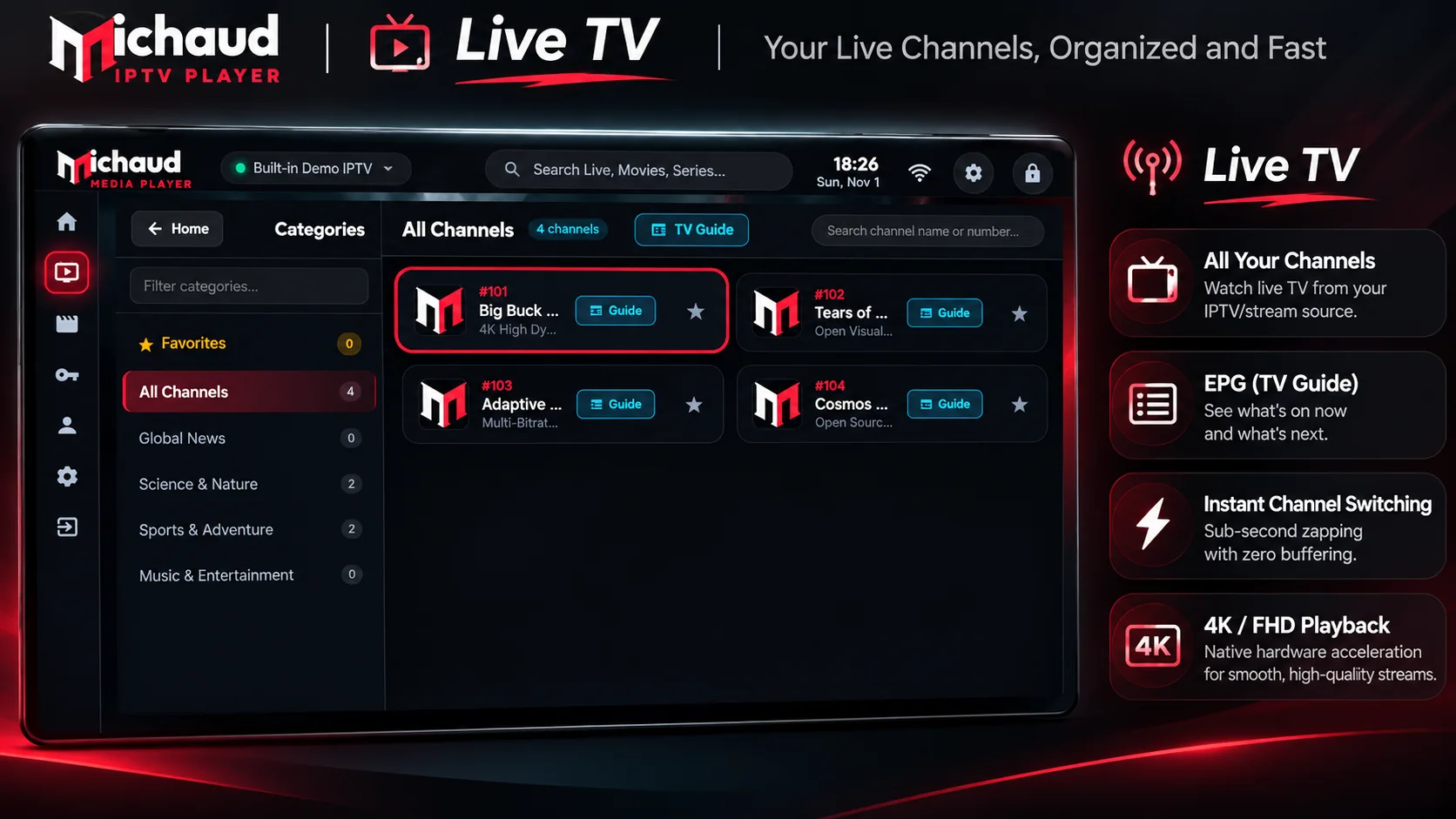
Native hardware acceleration for MPEG-TS and HLS streams. Enjoy sub-second channel switching and zero-buffering 4K/FHD playback.

Remote Phone Keyboard Relay

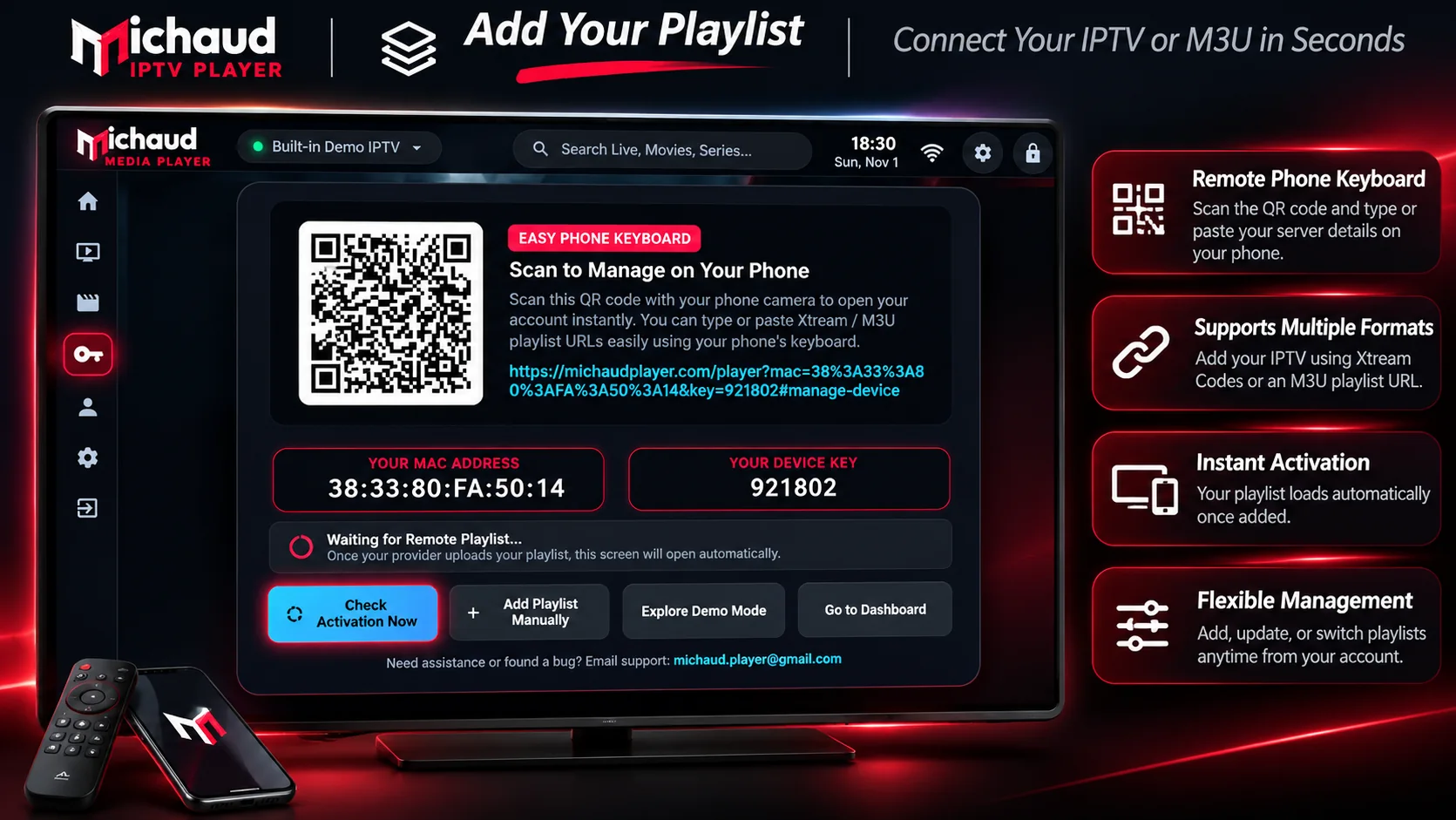
Never struggle with a TV remote keyboard again. Scan the on-screen QR code with your phone camera to paste server URLs and passwords in seconds.

Cinematic Organization

Clean, Netflix-inspired interface organizing your personal streams into Live TV with EPG, Movies VOD, TV Series, and 1-click Favorites.

Cloud Remote Sync

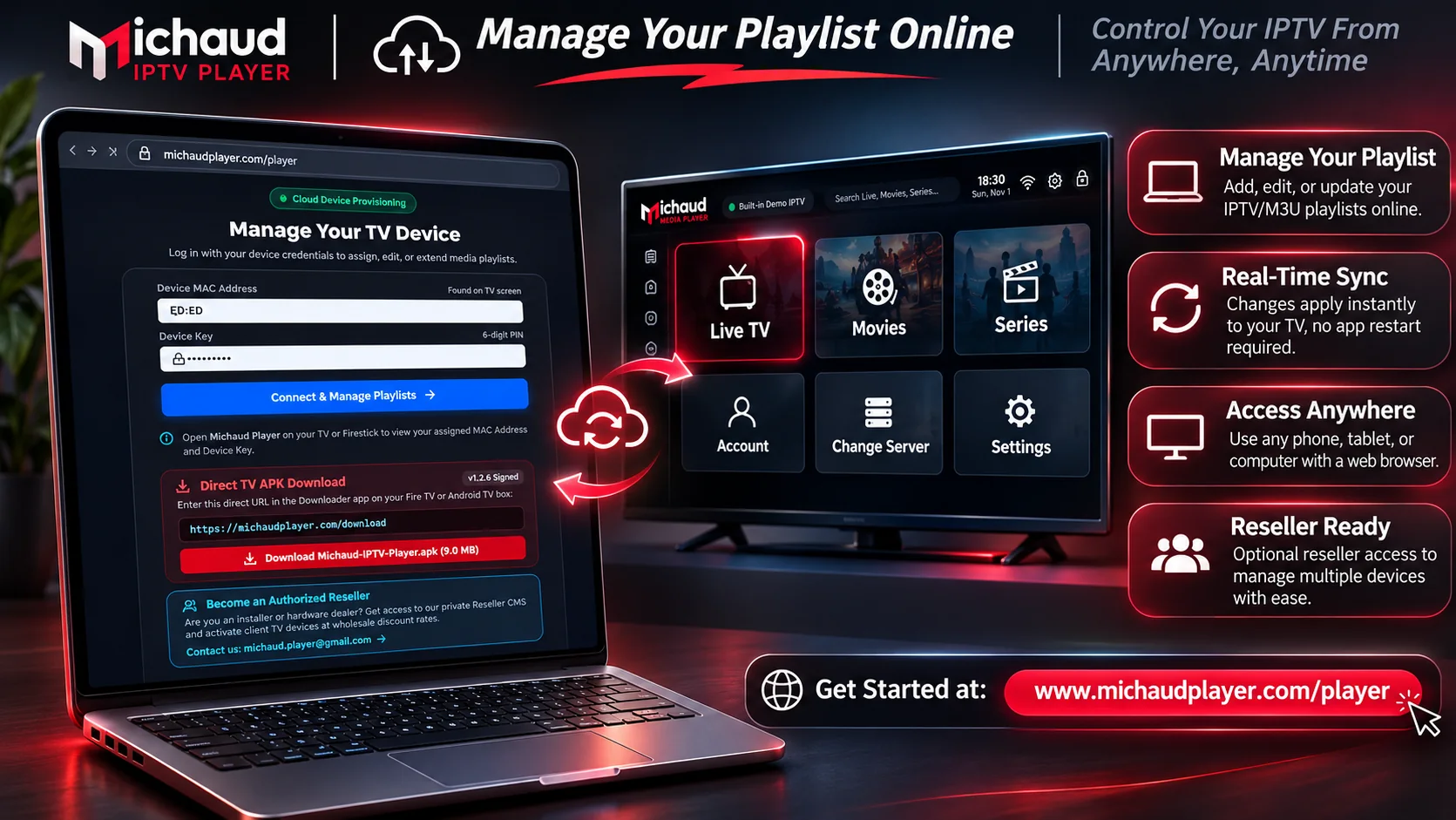
Manage all your playlists remotely from any phone, tablet, or browser. Changes sync instantly to your TV in real-time without app reboots.

Visual Tour

Explore Every Screen

From QR phone pairing and real-time cloud playlist sync to 4K Live TV, EPG TV Guide, and ExoPlayer Media3 settings.

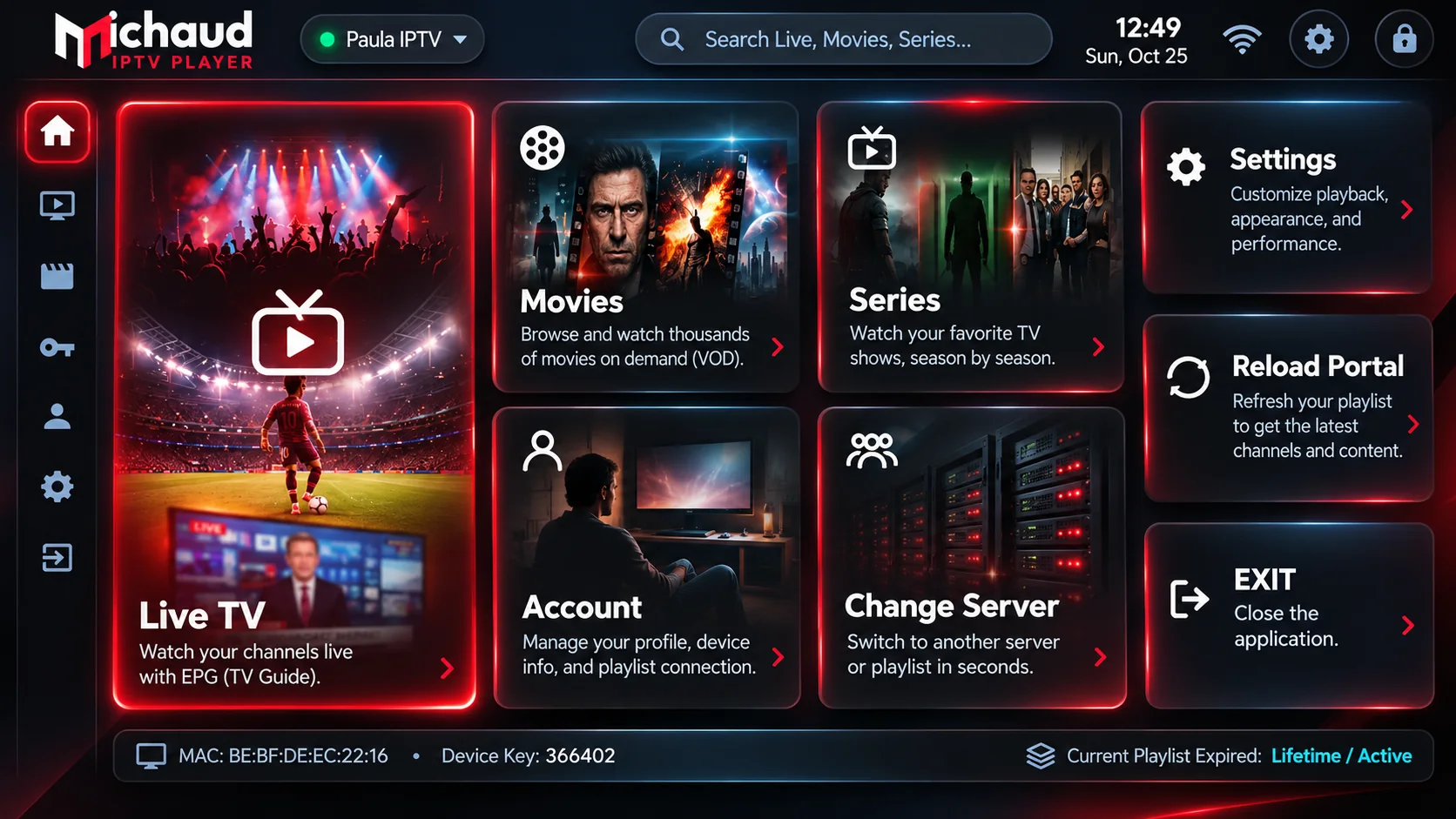
Michaud IPTV Home Dashboard
1. Home Dashboard & Device Key
Michaud IPTV QR Playlist Pairing
2. Zero-Typing QR Pairing
Michaud IPTV Remote Web Control Hub
3. Remote Web Playlist Sync
Michaud IPTV Live TV Channels
4. Live TV & Sub-Second Zapping
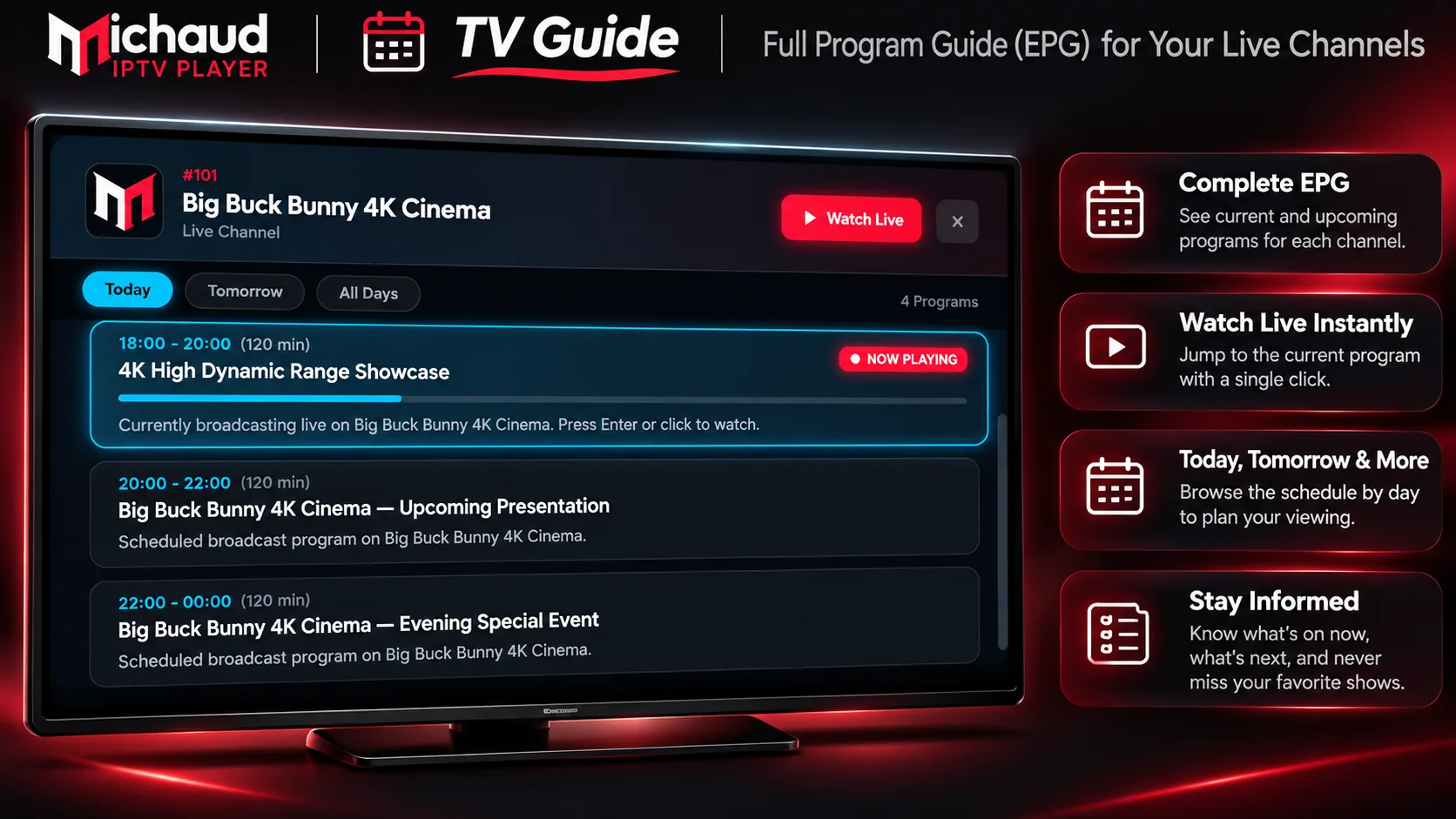
Michaud IPTV Full EPG TV Guide
5. Full EPG TV Guide
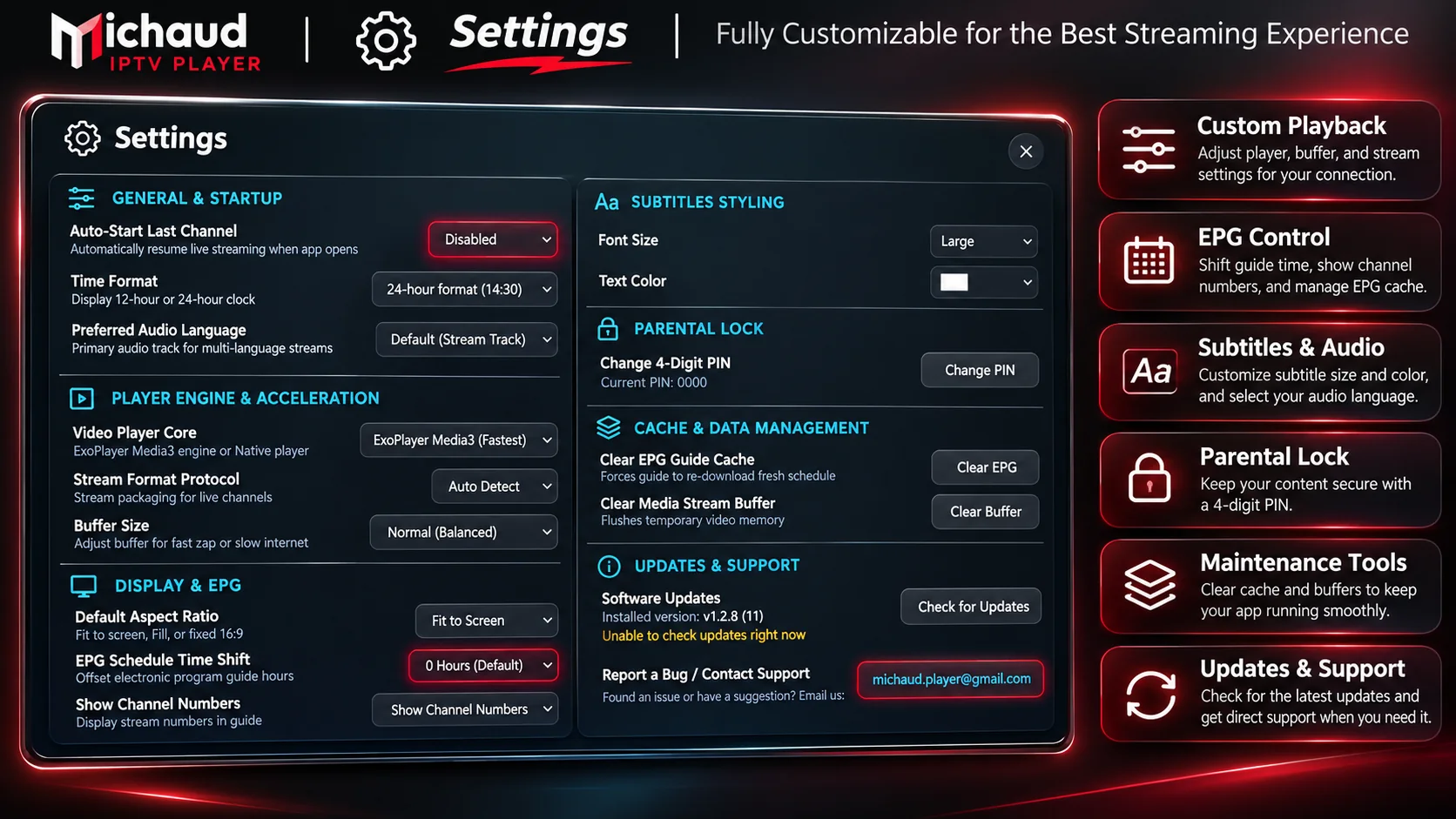
Michaud IPTV Settings Dashboard
6. ExoPlayer Media3 & Parental Lock
Simple 3-Step Setup

Get Streaming in Under 2 Minutes

No complicated configurations. Start enjoying your media sources instantly.

1

Download App on Your TV

Download directly from Google Play on Android TV, Google TV & Android devices, or open Downloader on Fire TV and enter code 1214376 (or https://michaudplayer.com/download).

2

Note Your Device Codes

Launch Michaud Player on your TV to view your unique Device MAC Address and Device Key displayed on your screen.

3

Assign Your Playlist & Play

Log in to the web portal below, enter your personal Xtream Codes or M3U stream URL, and your TV will immediately load your channels and movies!

Cloud Device Provisioning

Manage Your TV Device

Log in with your device credentials to assign, edit, or extend media playlists.

Changelog

Release Notes

Verified updates, playback enhancements, and stability improvements for Michaud IPTV Player.
Android TV, Google TV & Firestick
v1.2.13 Latest Stable TV Channel Grid & Remote Navigation Polish
Nov 25, 2026

Improvements

  • Improved display and clean truncation for long channel and category names.
  • Improved Firestick and Android TV remote-control navigation with clearer focus vs. active category highlights.

Bug Fixes

  • Fixed Live TV channel list horizontal overflow on television screens.
  • Fixed TV Guide and Favorite star buttons being pushed off-screen on wide channel rows.
  • Fixed duplicate category highlighting during rapid D-pad navigation.
v1.2.12 Uninterrupted Playback & TV Hardware Integration
Nov 25, 2026

New Features

  • Added system media session integration for TV remote media controls and playback metadata.
  • Added automatic playback pause when an HDMI display is disconnected.

Improvements

  • Keeps the screen awake during active Live TV, Movie, and Series playback while allowing normal screensaver activation once stopped.
  • Automatically saves Movie and Series resume progress when switching apps or pausing.

Bug Fixes

  • Fixed Firestick screensaver interrupting active movies and series after 5 minutes of playback.
v1.2.11 In-App Playlist Editing & Channel Zapping
Nov 22, 2026

New Features

  • Added in-app playlist editing directly from the TV interface.
  • Added quick up/down channel zapping within the active category.
  • Added clear toast notifications when a stream provider reports an error.

Improvements

  • Updated Live TV channel layout to a clean single-column view for easier reading on TVs.
  • Streamlined in-app update installation on Fire TV and Android TV.

Bug Fixes

  • Fixed in-app updater package installation permissions for direct APK updates.
v1.2.8 Built-In Auto-Updater & Dark Launch Experience
Nov 15, 2026

New Features

  • Added built-in Fire TV and Android TV auto-updater with one-click in-app updates.

Improvements

  • Added a dark launch splash screen for a smooth startup without bright flashes.
  • Updated adaptive launcher icons across all TV and mobile screen densities.
v1.2.6 Native 4K Movies & Series Engine + Dolby Audio
Nov 14, 2026

New Features

  • Added hardware-accelerated native playback for Movies (VOD) and TV Series, including MKV and Dolby E-AC3/AC3 audio.
  • Added playback resume prompt so you can continue movies and episodes where you left off.

Improvements

  • Enhanced TV remote D-pad navigation, audio track switching, and subtitle selection.
v1.2.3 Google Play Store Release Readiness
Nov 7, 2026

Improvements

  • Prepared signed release packaging and store compliance for Google Play distribution across Android TV and mobile devices.
v1.2.2 Mobile TV Guide & Channel Schedule Polish
Nov 7, 2026

Bug Fixes

  • Fixed mobile Live TV channel card schedule visibility so current and upcoming shows display cleanly.
  • Fixed TV Guide modal scaling on phones and compact displays.